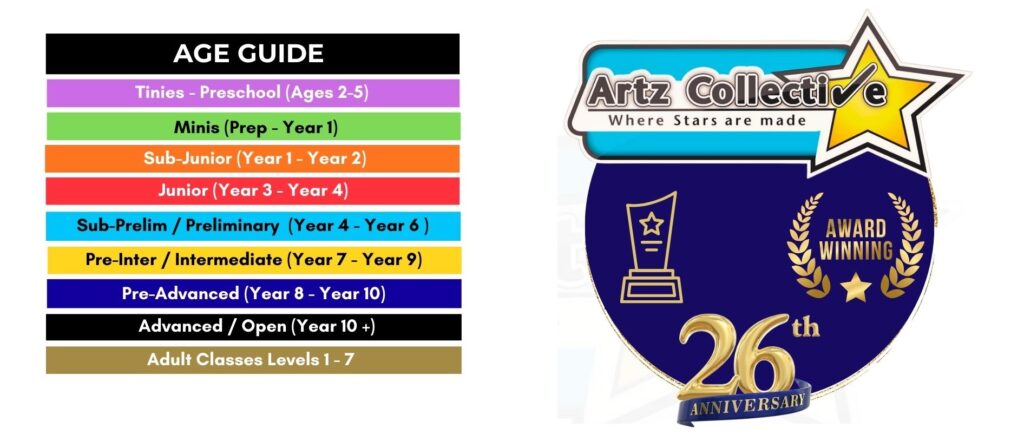
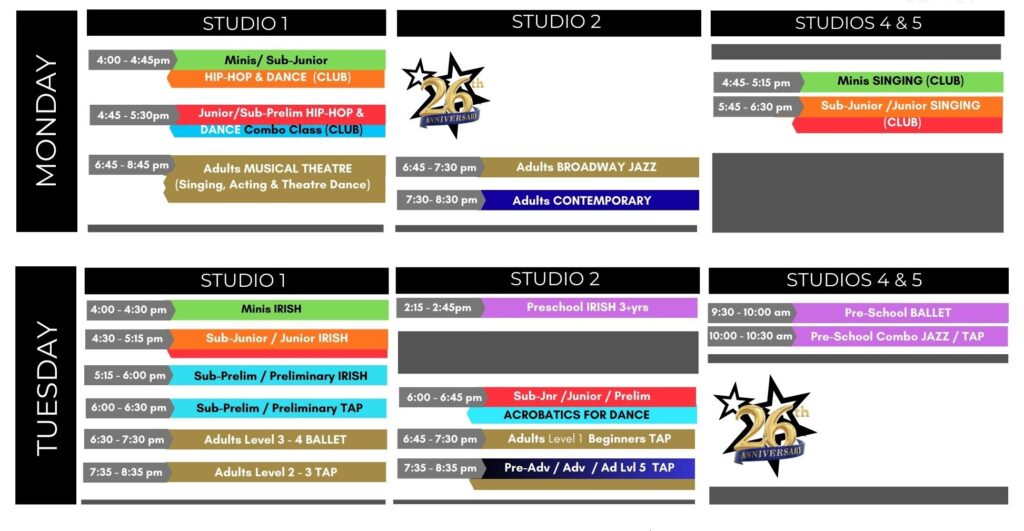
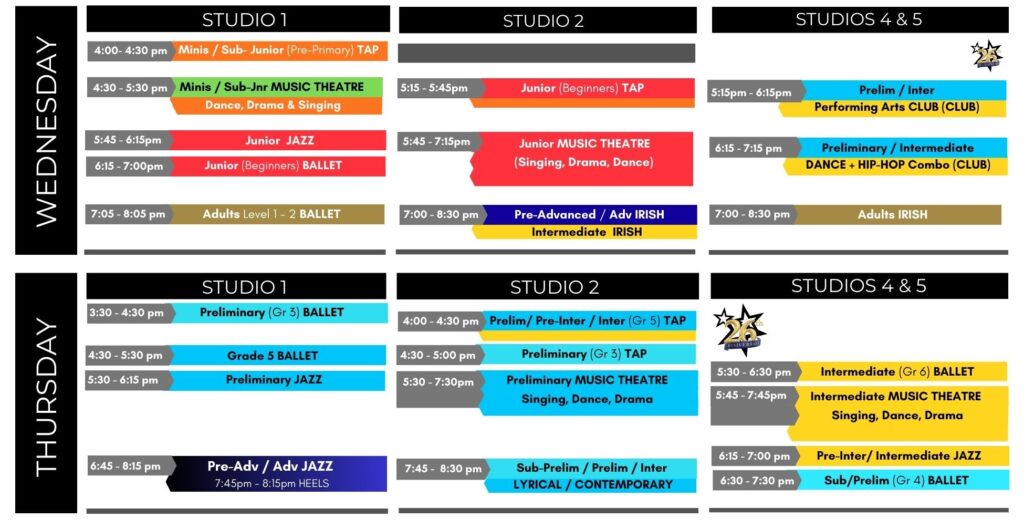
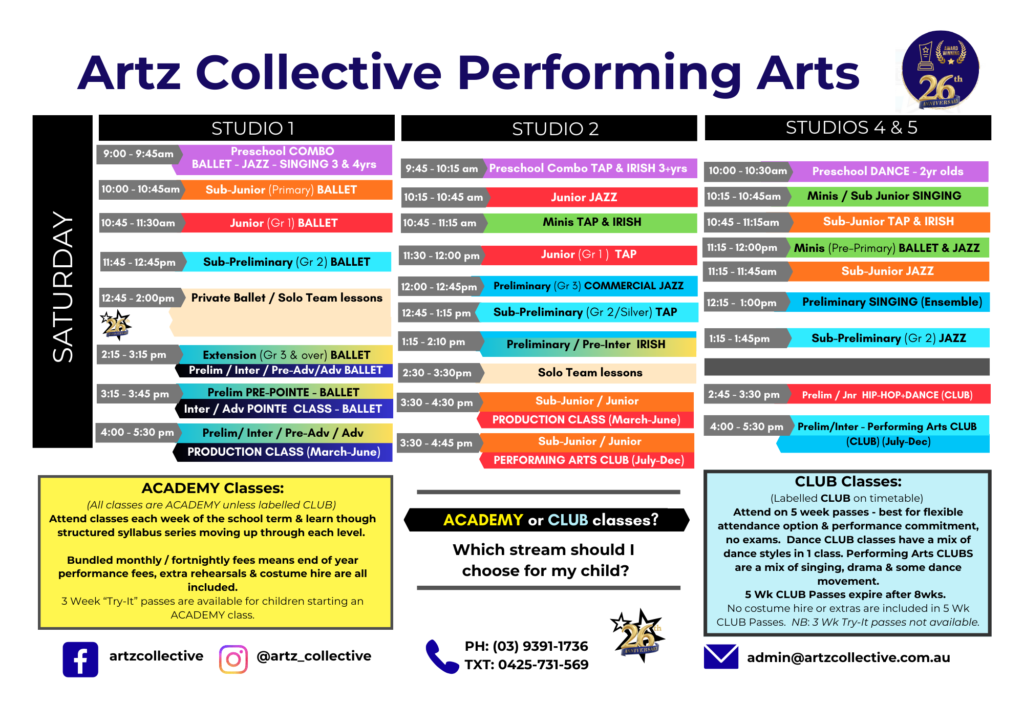
Using the Timetable to Book a Class: Step 1: Use the age guide below to find the colour you need.
Step 2: Locate that colour to find classes in your desired age group. (eg: 5yr olds = Minis = Lime Green)
Step 2: Scroll down to Enrol or to Book a Trial Class using our customer portal at the bottom of the page.
Enrol Now using our Studio Portal below
You can also book a Trial class:
1. Click on the class you want to try. 2. Register. 3. Desktop: Click the BLUEBUTTON at the TOP of the screen to make sure it says "Trial a Class". (or Click the "Trial a Class" button if in the app.)